
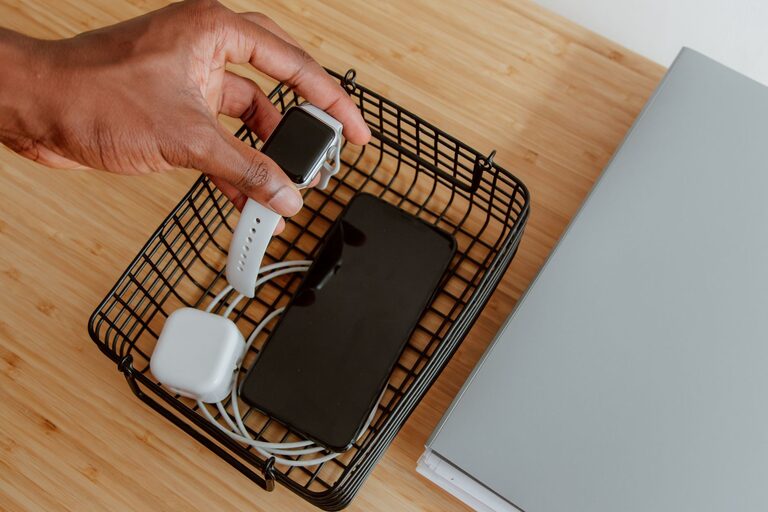
Setting up a dedicated charging station for your devices not only keeps your space neat but also ensures all your gadgets are ready to go when you need them. Whether you have smartphones, tablets, smartwatches, earbuds, or other rechargeable devices, a well-designed charging station simplifies daily routines and reduces clutter.
In this guide, we’ll walk you through how to create an efficient charging station at home or in the office, covering everything from choosing the right location to managing cables and selecting power sources.
Why Create a Charging Station?
With multiple devices needing power daily, cords and chargers can quickly become tangled and scattered around your home or workspace. A charging station:
– Keeps devices organized and in one place
– Reduces cable clutter and prevents damage
– Makes it easier to find chargers and devices
– Creates a cleaner, safer environment by reducing tripping hazards
– Helps maintain device battery health by encouraging regular charging
Steps to Set Up Your Charging Station
1. Choose the Right Location
Pick a spot that’s convenient, safe, and close to a power source. Common options include:
– A desk or home office area
– A bedside table
– A kitchen counter or charging nook
– A living room shelf or entertainment console
Make sure the space is well-ventilated and away from liquids or heat sources.
2. Assess Your Devices and Charging Needs
List all the devices you want to charge. This helps you determine the number of charging ports and types you’ll require:
– Smartphones (Apple, Android)
– Tablets and e-readers
– Smartwatches and fitness trackers
– Wireless earbuds or headphones
– Portable speakers or other gadgets
Consider devices with different charging connector types like USB-A, USB-C, Lightning cables, or wireless charging.
3. Select a Power Source
Depending on your device list, pick a power source that supplies enough outlets or ports:
– Multi-port USB chargers: These devices provide multiple USB ports from a single wall plug, reducing the number of adapters.
– Power strips with USB ports: Combine outlets for plugs and USB charging in one unit.
– Wireless charging pads or stands: For devices that support wireless charging, these make charging simple and reduce cable use.
– Charging docks: Designed for specific devices or universal docks that hold multiple gadgets in one place.
Look for chargers with safety certifications and built-in protection against power surges.
4. Organize Your Cables
Well-organized cables prevent tangling and make your charging station look tidy.
Tips for cable management:
– Use cable clips or holders to route cords neatly.
– Velcro straps or reusable ties help bundle extra cable length.
– Label cables if you have many similar ones.
– Consider shorter cables to reduce excess length.
– Use a cable organizer box to hide power strips and excess cords.
5. Arrange Your Devices
Place your devices in a way that’s easy to access and view while charging.
– Use stands or holders to keep devices upright.
– Allow space between devices to prevent overheating.
– Avoid stacking devices on top of each other.
– Create zones for each type of device if needed (e.g., one area for phones, another for wearables).
6. Add Extra Features for Convenience
Enhance your charging station with features that improve usability:
– LED indicators: Help you see which devices are charging.
– USB hubs: Increase the number of ports available.
– Storage compartments: Keep small accessories like earbuds, charging adapters, or cables.
– Labels or signage: Quickly identify which charger belongs to which device or person.
7. Maintain Your Charging Station
To keep your setup efficient:
– Regularly clean dust and debris.
– Check cables and chargers for wear or damage.
– Update your charging equipment as technology changes.
– Reassess device needs and remove unused chargers.
Additional Tips
– Avoid overloading power outlets to reduce the risk of electrical issues.
– Consider a surge protector to safeguard devices.
– For households with kids, choose stations with built-in safety features.
– If possible, use eco-friendly or energy-efficient chargers to reduce power consumption.
Conclusion
Setting up a dedicated charging station allows you to power your devices efficiently while keeping your space organized. By choosing the right location, power sources, and cable management tools, you can create a convenient hub for your daily tech needs. This small investment in setup and organization pays off with less clutter and more charging convenience. Start planning your charging station today and enjoy a tidier, more functional space!