
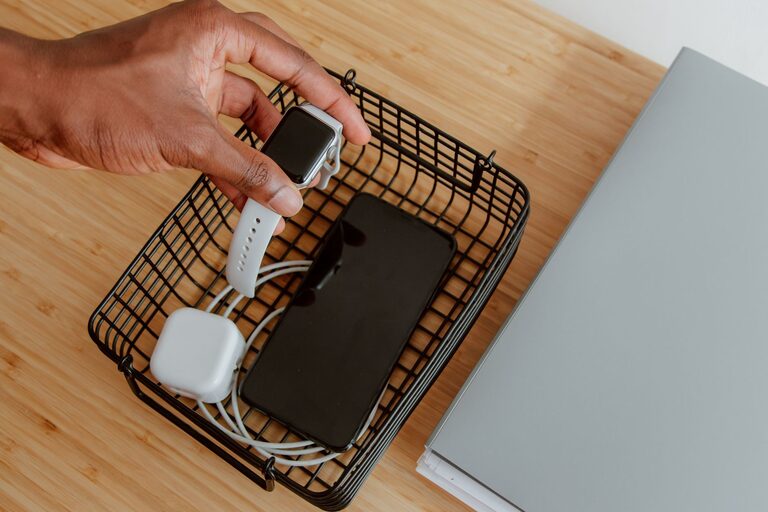
Setting up a dedicated charging station for your devices is a simple way to keep your home or office organized and ensure your gadgets are always ready to use. With the increasing number of smartphones, tablets, laptops, and other electronic devices in our daily lives, having a central spot to charge them can save time and reduce clutter. In this guide, we’ll walk you through how to set up a practical and efficient charging station tailored to your needs.
Why Set Up a Charging Station?
Before diving into the setup process, it’s helpful to understand the benefits of having a charging station:
– Organization: Keeps cables and devices in one place.
– Space-saving: Reduces clutter on desks, counters, or tables.
– Convenience: Makes it easy to charge multiple devices at once.
– Safety: Prevents overheating and reduces trip hazards from loose cords.
– Aesthetic: Creates a clean, streamlined look in your space.
Step 1: Choose the Right Location
Consider Accessibility and Power Sources
Select a spot that is easy to reach and close to electrical outlets. Common locations include:
– Desk or work area
– Entryway or hallway table
– Nightstand or bedroom dresser
– Kitchen counter or dining nook
Make sure the location is dry, well-ventilated, and away from direct sunlight to protect your devices.
Assess Available Space
The charging station should fit comfortably in the chosen area without obstructing daily activities. Measure the space and consider whether you want the station visible or hidden.
Step 2: Decide on the Charging Station Type
Options to Consider
– Multi-port USB chargers: Allow several devices to charge from one outlet.
– Charging docks or stands: Hold devices upright and charge them simultaneously.
– Cable organizers: Keep cords untangled and neat.
– Charging baskets or boxes: Hide devices and cords inside a container.
– DIY setups: Use shelves, trays, or repurposed items to build a custom station.
Choose a solution that suits the number and types of devices you have as well as your style preferences.
Step 3: Gather Necessary Equipment
Essentials You May Need
– Power strips or surge protectors with multiple outlets
– Multi-port USB charging hubs or wall chargers
– Charging cables compatible with your devices (consider extra-long cables if needed)
– Cable management tools such as clips, ties, or sleeves
– Storage containers or trays (optional)
– Labels for cables and devices (optional)
Having the right accessories ensures your charging station functions smoothly.
Step 4: Organize Cables and Chargers
Tips for Effective Cable Management
– Use cable clips or holders to secure cords to the surface.
– Bundle excess cable length with ties or Velcro straps.
– Label cables to quickly identify which device they belong to.
– Avoid tangled or overlapping cables for easier access.
– If possible, route cables behind furniture or along walls to keep them out of sight.
Organized cables not only look better but also make it easier to plug and unplug devices.
Step 5: Arrange Devices Strategically
Best Practices for Device Placement
– Place devices so their screens are visible and accessible.
– Use charging stands or docks to keep phones and tablets upright.
– Avoid stacking devices on top of each other to prevent overheating.
– Rotate the devices regularly if using a basket or box to allow them to cool.
A tidy arrangement helps you find devices quickly and maintain a safe charging environment.
Step 6: Maintain Your Charging Station
Regular Upkeep Suggestions
– Clean dust and debris from the area and cables regularly.
– Inspect cables and chargers for wear or damage.
– Remove unused chargers or cords to reduce clutter.
– Update or replace equipment as technology changes.
Routine maintenance ensures your charging station remains efficient and safe.
Additional Tips
– Consider investing in smart chargers that detect device types and adjust power output accordingly.
– Use surge protectors to protect your electronics from power spikes.
– If you have many devices, label charging ports or cables to avoid confusion.
– For shared spaces, establish rules to keep the station organized and accessible to everyone.
Conclusion
Setting up a charging station is a straightforward project that brings order and convenience to your daily device use. By selecting the right location, gathering suitable equipment, and organizing cables and devices thoughtfully, you can create a charging station that fits your lifestyle and keeps your gadgets powered up without the mess. With a little planning and maintenance, your charging station will become an essential part of your home or office setup.