
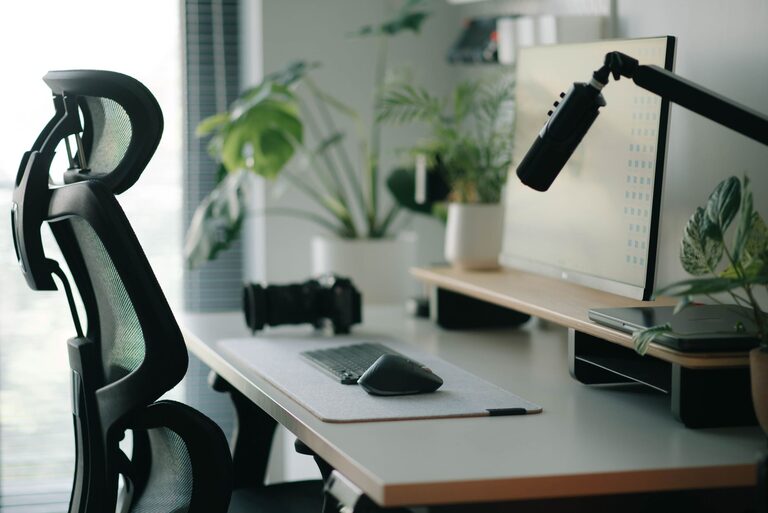
A well-organized desk setup can make a significant difference in your ability to focus and stay comfortable throughout the day. Whether you work from home or in an office, having a workspace designed for your needs not only improves productivity but also supports your overall well-being. This guide will walk you through practical tips to optimize your desk setup for both focus and comfort.
Why Your Desk Setup Matters
Your desk is more than just a surface for your computer and papers; it’s the foundation of your work environment. A cluttered or poorly arranged workspace can lead to distractions, discomfort, and even physical strain. On the other hand, a thoughtfully arranged desk helps you maintain focus and reduces fatigue, making work feel easier and more enjoyable.
Key Elements of a Focus-Friendly Desk Setup
1. Choose the Right Desk and Chair
– Desk height: Your desk should be at a height where your forearms are parallel to the ground when typing. This helps prevent wrist strain.
– Chair support: Invest in an ergonomic chair with adjustable features, including seat height, backrest, and armrests. Proper lumbar support is crucial for comfort.
– Foot positioning: Your feet should rest flat on the floor or a footrest to maintain good posture.
2. Position Your Monitor Correctly
– Eye level: The top of your screen should be at or slightly below eye level to avoid neck strain.
– Distance: Position your monitor about an arm’s length away to reduce eye fatigue.
– Multiple screens: If you use more than one monitor, place them side by side at the same height to avoid excessive neck turning.
3. Organize Cables and Equipment
– Cable management: Use clips, sleeves, or cable boxes to keep cords tidy and prevent them from cluttering your workspace.
– Essential tools only: Keep only the items you use frequently on your desk to minimize distractions.
– Storage solutions: Use drawers, shelves, or desk organizers to keep supplies within reach but out of the way.
Tips for Enhancing Focus at Your Desk
1. Maintain a Clutter-Free Surface
A clean desk helps your mind feel clear. Spend a few minutes at the end of each day organizing your space to start fresh the next morning.
2. Use Proper Lighting
– Natural light: Whenever possible, position your desk near a window to benefit from natural light.
– Task lighting: Use a desk lamp with adjustable brightness to reduce eye strain, especially in the evenings.
– Avoid glare: Place your monitor perpendicular to windows to minimize screen glare.
3. Incorporate Plants or Personal Touches
Adding greenery or small personal items can improve mood and reduce stress without causing distractions. Choose low-maintenance plants that thrive indoors.
Tips for Comfort During Long Work Sessions
1. Take Regular Breaks
Use techniques like the Pomodoro method (25 minutes work, 5 minutes break) to maintain energy and focus. Stand up, stretch, or walk during breaks to reduce stiffness.
2. Keep Essentials Within Reach
Place your phone, water bottle, and frequently used office supplies within arm’s reach to avoid repetitive movements that can cause discomfort.
3. Adjust Temperature and Air Quality
Ensure your workspace is well-ventilated and at a comfortable temperature. Poor air quality or extreme temperatures can distract you and reduce comfort.
Additional Accessories to Consider
– Ergonomic keyboard and mouse: Reduce strain on wrists and hands.
– Monitor stand or riser: Help achieve the correct screen height.
– Anti-fatigue mat: If you use a standing desk, this can ease pressure on your feet and legs.
– Noise-canceling headphones: Minimize distractions in noisy environments.
Final Thoughts
A thoughtful desk setup supports both your physical comfort and mental focus. Investing time in organizing your workspace and choosing the right furniture and accessories pays off in productivity and well-being. Start with small changes and adjust as you learn what works best for you. A workspace that suits your needs can transform how you work every day.